
| 일 | 월 | 화 | 수 | 목 | 금 | 토 |
|---|---|---|---|---|---|---|
| 1 | 2 | 3 | 4 | 5 | 6 | |
| 7 | 8 | 9 | 10 | 11 | 12 | 13 |
| 14 | 15 | 16 | 17 | 18 | 19 | 20 |
| 21 | 22 | 23 | 24 | 25 | 26 | 27 |
| 28 | 29 | 30 |
- Online Judge
- 독서
- c#
- PS
- System Programming
- BOJ
- Network Programming
- C++
- Toy Project
- multi-thread
- Data Structure
- Unity
- git
- Today
- Total
I'm FanJae.
[Unity] Unity Hub를 이용한 Unity Project를 GitHub에 연결하는 방법 본문
1. 시작에 앞서
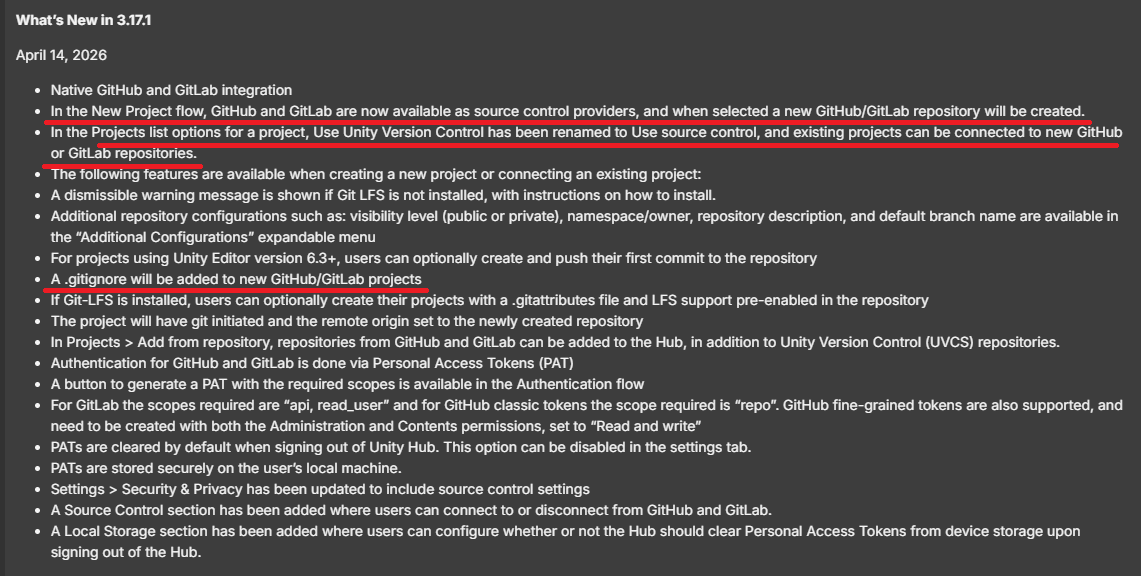
- Unity Hub 3.17.3 업데이트로 GitHub/GitLab 연동 기능이 추가되었다.
- Unity Hub에서 Project를 생성할 때, Source control provider에서 Github로 설정하면 Unity 프로젝트를 Github에 Repo로 추가해주는 기능이 있다는 것을 확인했다.
- 참고 링크 : https://discussions.unity.com/t/now-available-unity-hub-3-17-3/1716556
Now Available: Unity Hub 3.17.3
The Unity Hub team is rolling out the latest 3.17.3, and we are officially introducing native support for GitHub and GitLab directly within the Hub! This is a major step toward making your source control workflow seamless from the very start of a project.
discussions.unity.com
2. 신규 프로젝트 연결
- 신규 프로젝트의 경우 프로젝트 생성시 Source Control Provider를 설정하는 것으로 Git 연결이 가능하다.
※ Github에 해당 Repo가 없으면 신규 Repo를 생성해주는 것으로 확인되었다.
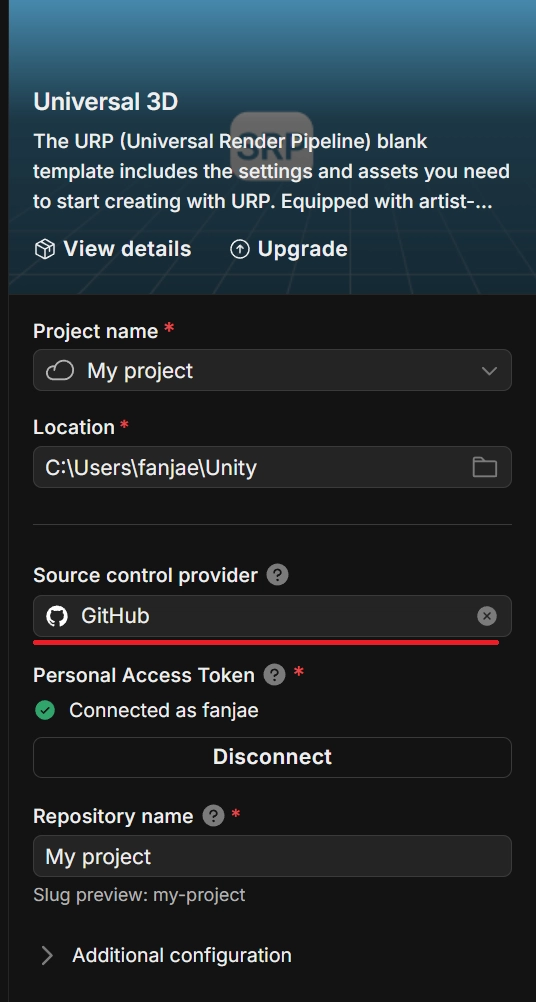


- Additional Configuration 창을 누르면, Repo의 공개 여부나 Repo 설명을 추가할 수 있다.
- 프로젝트에 맞게 바꿔준 이후, Create Project를 누르고 Github에 가보면 해당 Repo가 추가된 것을 확인할 수 있다.

3. 기존 프로젝트 연결
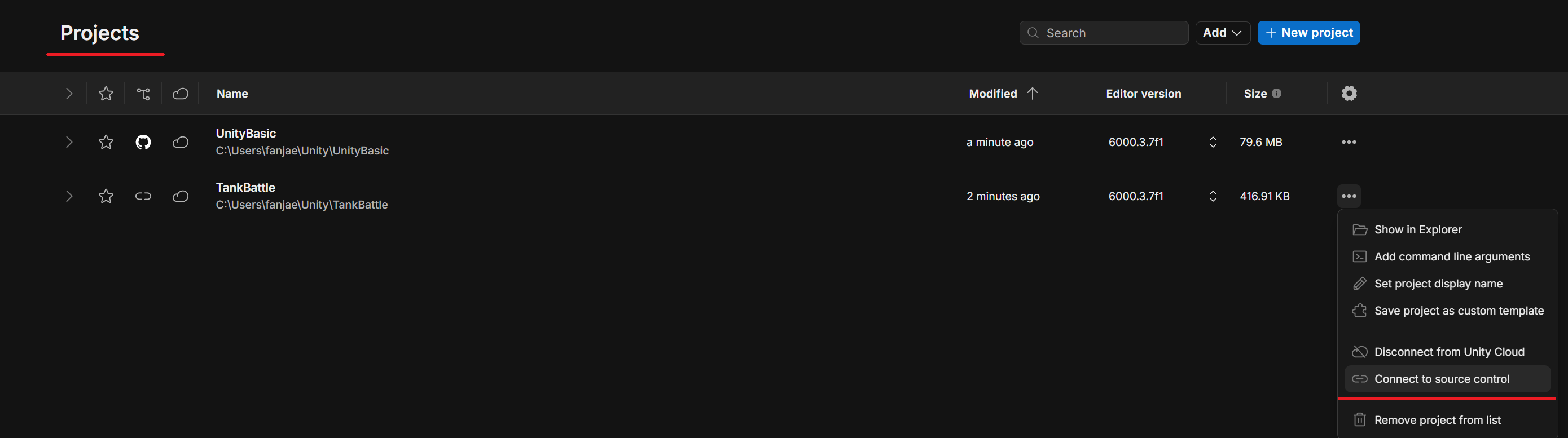
- Github의 Projects를 클릭하면 자신의 프로젝트를 확인할 수 있다.
- 여기서 오른쪽 끝 톱니바퀴 있는 곳 아래 쪽에 … 표시를 클릭하면 Connect to source Control을 클릭하면, Github와 연결 작업을 진행할 수 있다.
※ Github에 해당 Repo가 없으면 신규 Repo를 생성해주는 것으로 확인되었다.

'정보' 카테고리의 다른 글
| [Unity] Unity Hub 설치 (Windows) (0) | 2026.05.19 |
|---|---|
| [Git] Git 설치 (Windows) (0) | 2026.05.02 |

